Text shortcuts for support agents — anywhere you type
Customer support, sales, and ops teams repeat the same messages all day. Agent Assist brings your approved replies into helpdesks, CRMs, chat widgets, and email — with / and # triggers. No tab switching. No clipboard gymnastics.
Free & open source · Works on Chrome, Edge, Brave, Opera, and Firefox
Built for how support teams actually work
Reply faster without leaving the ticket. Stay on-message across your whole team.
Works wherever you type
Insert replies directly in the field — no copy-paste, no tab switching. Zendesk, Intercom, Gmail, Salesforce, and your internal tools.
Two triggers, two jobs
/refund for team-approved replies you reuse every day. #quick for one-offs that stay out of your main library.
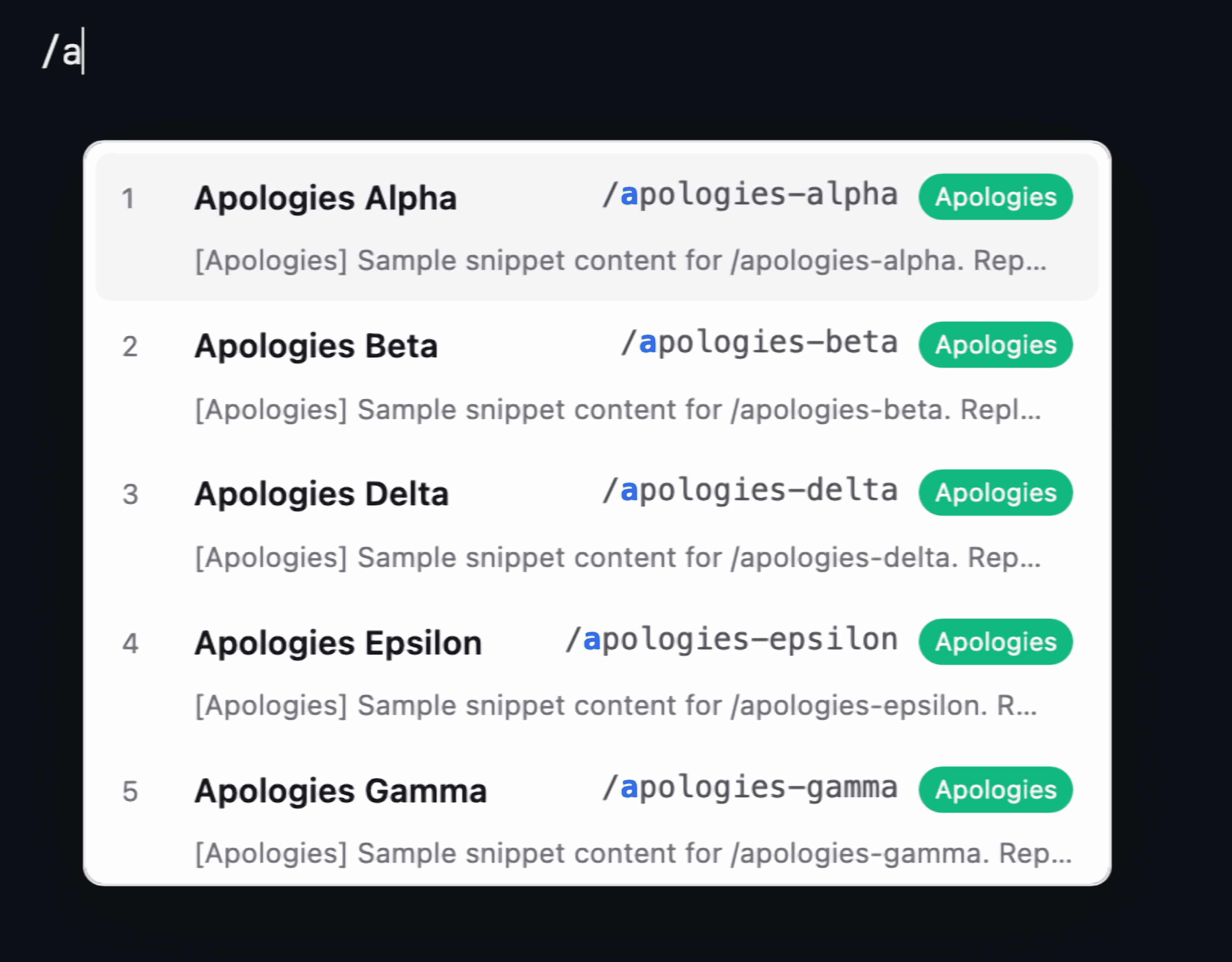
Keyboard-first dropdown
Type / or # and keep going — the menu narrows as you type. Arrow keys or 1–9 to pick, Enter or Tab to insert. Hands stay on the keyboard.
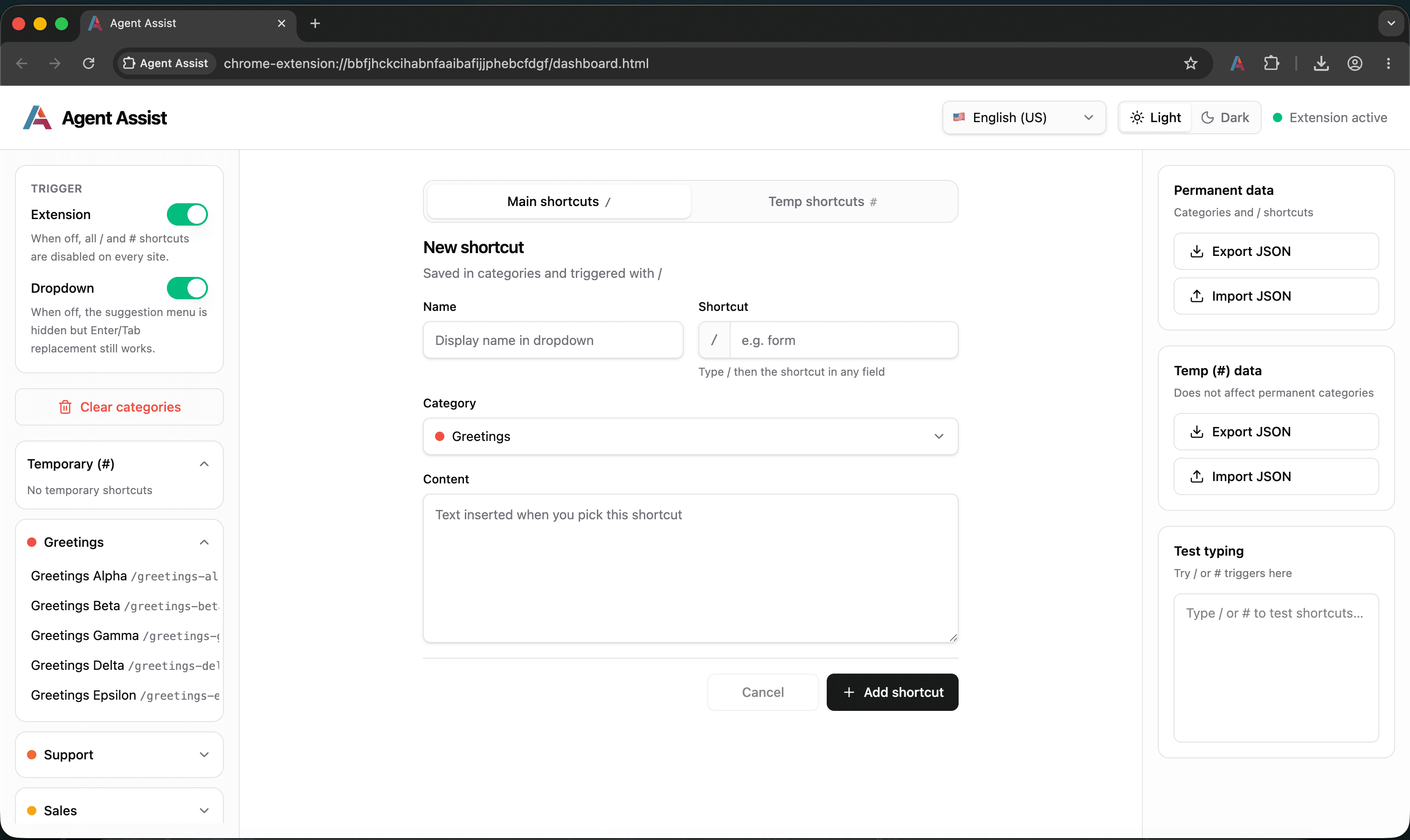
Organized snippet library
Group shortcuts into color-coded categories — greetings, policies, closings. Browse, edit, and bulk-clear from accordion sidebars.
Share libraries as JSON
Export permanent and temp libraries separately. Hand off to teammates, restore backups, or ship starter packs to new agents.
Safe imports
Replacing existing shortcuts? You'll get a clear confirmation first — no silent overwrites, no accidental data loss.
Test before you ship
Try / and # triggers in the dashboard sandbox before they go live on a real customer ticket.
You're in control
Disable all shortcuts site-wide, or hide the dropdown while keeping quick insert. The toolbar icon shows exactly what's on.
Themes & languages
Light or dark UI. Six languages with full RTL — English (US/UK), Persian, Arabic, Turkish, and Kurdish.
How it works
Get started in three simple steps
Create your shortcuts
Open dashboard, create categories, add permanent (/) or temp (#) shortcuts with your team's approved messages.
Enable extension
Toggle Extension on. Optionally enable dropdown for fuzzy-search menu.
Use anywhere
In any ticket, chat, or email field, type /refund or #quick — pick from menu or press Enter/Tab.
Installation
Install from a release zip. Chrome Web Store and Firefox Add-ons listings coming soon.
Open chrome://extensions
Enable Developer mode (top-right toggle)
Click 'Load unpacked'
Select unzipped chrome build folder
Pin Agent Assist from toolbar
Download latest release
Fetching the latest version from GitHub Releases GitHub Releases
Downloads the Chrome build (.zip) from the latest GitHub release
Post-install quick start
- Click extension icon → opens dashboard
- Toggle Trigger → Extension ON
- Create category, add shortcut
- Test in right-panel textarea
- Use on any website